What Is User Activity Monitoring Software and Why Do Businesses Need It?

Have you ever wondered what employees are doing on company systems during work hours? Are sensitive business files being accessed appropriately? Is your organization protected against insider threats, accidental data leaks, and productivity bottlenecks?
The answer for many businesses lies in user activity monitoring software.
At its core, user activity monitoring software helps organizations track, record, and analyze user actions across company devices, networks, and applications. It provides visibility into how employees interact with business resources, helping companies improve security, maintain compliance, and optimize workplace productivity.
As businesses embrace remote work, hybrid teams, and digital transformation, understanding employee and system activity has become more important than ever. Organizations need accurate insights to make informed decisions while maintaining a secure and efficient work environment.
What Is User Activity Monitoring Software and Why Do Businesses Need It?
User activity monitoring software is a technology solution that captures and analyzes user behavior on company-owned systems. It records actions such as application usage, website visits, file access, login activities, system interactions, and other digital activities.
Businesses use these solutions to:
Improve operational visibility
Strengthen cybersecurity defenses
Detect suspicious behavior
Prevent data loss
Meet regulatory compliance requirements
Enhance workforce performance
By providing real-time insights into user behavior, organizations can identify risks before they become costly problems.
How Does User Activity Monitoring Work?
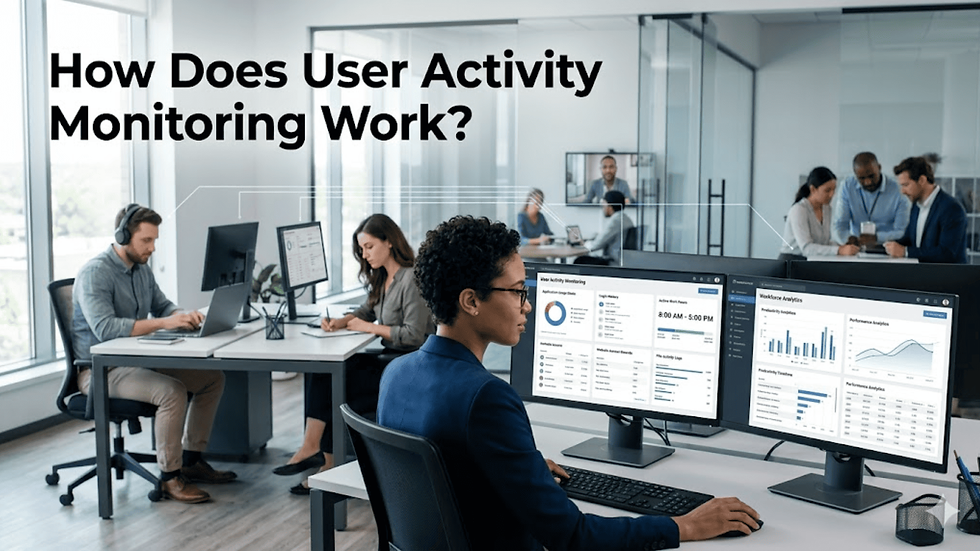
Modern monitoring solutions operate quietly in the background, collecting activity data from endpoints, networks, and cloud applications.
Typical monitoring capabilities include:
Activity Tracking
The system records:
Application usage
Website activity
Login and logout times
File access events
Device usage patterns
Behavioral Analysis
Advanced platforms analyze patterns to identify unusual behavior, such as:
Unauthorized file access
Excessive data downloads
Unusual login locations
Suspicious account activity
Reporting and Alerts
Administrators receive:
Real-time notifications
Activity summaries
Productivity reports
Security incident alerts
This allows organizations to respond quickly to potential threats and operational issues.
Key Benefits for Businesses
Improved Security
Insider threats remain one of the most difficult security challenges for organizations. Whether intentional or accidental, employee actions can expose sensitive business information.
Monitoring solutions help organizations:
Detect unauthorized access
Identify risky behavior
Investigate security incidents
Reduce data breach risks
Better Compliance Management
Many industries must comply with strict regulations regarding data handling and access controls.
Monitoring tools assist by:
Creating audit trails
Tracking user actions
Documenting access history
Supporting compliance reporting
Increased Accountability
When employees understand that business systems are being monitored responsibly, they tend to follow company policies more consistently.
This creates:
Greater transparency
Reduced misuse of resources
Stronger adherence to security protocols
Enhanced Operational Efficiency
Managers gain valuable insights into how teams interact with applications and workflows. These insights can reveal inefficiencies, process bottlenecks, and areas for improvement.
Features to Look For
Not all monitoring solutions offer the same capabilities. Businesses should evaluate their needs before selecting a platform.
Important features include:
Real-Time Monitoring
Provides immediate visibility into ongoing user activities and potential security events.
Activity Logs
Maintains detailed records of user actions for investigations and audits.
Screenshot Capture
Captures visual evidence of user activities when required by company policies.
Alerting System
Automatically notifies administrators about suspicious or policy-violating behavior.
User Behavior Analytics
Uses intelligent algorithms to identify anomalies and potential risks.
Cloud and Remote Workforce Support
Ensures visibility across distributed teams and cloud-based applications.
Supporting a Productive Workforce
Beyond security, monitoring solutions play an important role in performance management.
Organizations can better understand:
Time spent on business applications
Workflow efficiency
Resource utilization
Team collaboration patterns
When combined with workforce productivity software, these insights help leaders identify opportunities to improve performance without relying on assumptions.
Managers can make data-driven decisions regarding workload distribution, training needs, and process optimization.
Common Use Cases

Businesses across industries use monitoring solutions for various purposes.
Remote Employee Management
Remote work environments require visibility without constant supervision.
Monitoring helps managers:
Understand work patterns
Measure engagement
Identify productivity trends
Insider Threat Detection
Security teams can quickly identify unusual behavior that may indicate malicious activity or compromised accounts.
Data Protection
Organizations can monitor access to sensitive files, intellectual property, and customer information.
Compliance Auditing
Activity records simplify audits and help demonstrate regulatory compliance.
Best Practices for Ethical Monitoring
Successful implementation requires balancing visibility with employee trust.
Organizations should:
Clearly communicate monitoring policies.
Explain the purpose of monitoring.
Focus on security and operational goals.
Follow applicable privacy regulations.
Limit access to collected data.
Transparency helps build trust while ensuring monitoring programs remain effective and compliant.
You can also watch this video: How To use Monitoring Control Features of EmpMonitor? | EmpMonitor How-To Tutorial
Summary
User activity monitoring software provides organizations with valuable visibility into employee and system activities. It helps strengthen cybersecurity, prevent data loss, support compliance efforts, and improve operational efficiency. As businesses continue to manage hybrid and remote work environments, monitoring solutions have become an essential component of modern security and workforce management strategies.
By implementing monitoring responsibly and transparently, organizations can create a safer, more productive, and more accountable workplace.
Frequently Asked Questions
What is user activity monitoring software?
It is a solution that tracks, records, and analyzes user actions on company systems, applications, and networks to improve security, compliance, and operational visibility.
Is user activity monitoring legal?
In most regions, it is legal when implemented according to local labor laws, privacy regulations, and organizational policies. Businesses should always inform employees about monitoring practices.
Can monitoring software improve productivity?
Yes. Monitoring tools provide insights into workflows, application usage, and work habits, helping organizations identify inefficiencies and improve performance.
Who uses user activity monitoring solutions?
Organizations of all sizes use these solutions, including enterprises, government agencies, healthcare providers, financial institutions, educational organizations, and remote-first companies.
What is the difference between activity monitoring and employee surveillance?
Activity monitoring focuses on security, compliance, and operational visibility, while employee surveillance often implies broader observation of worker behavior. Modern businesses typically use monitoring solutions to support security and productivity objectives.


Comments